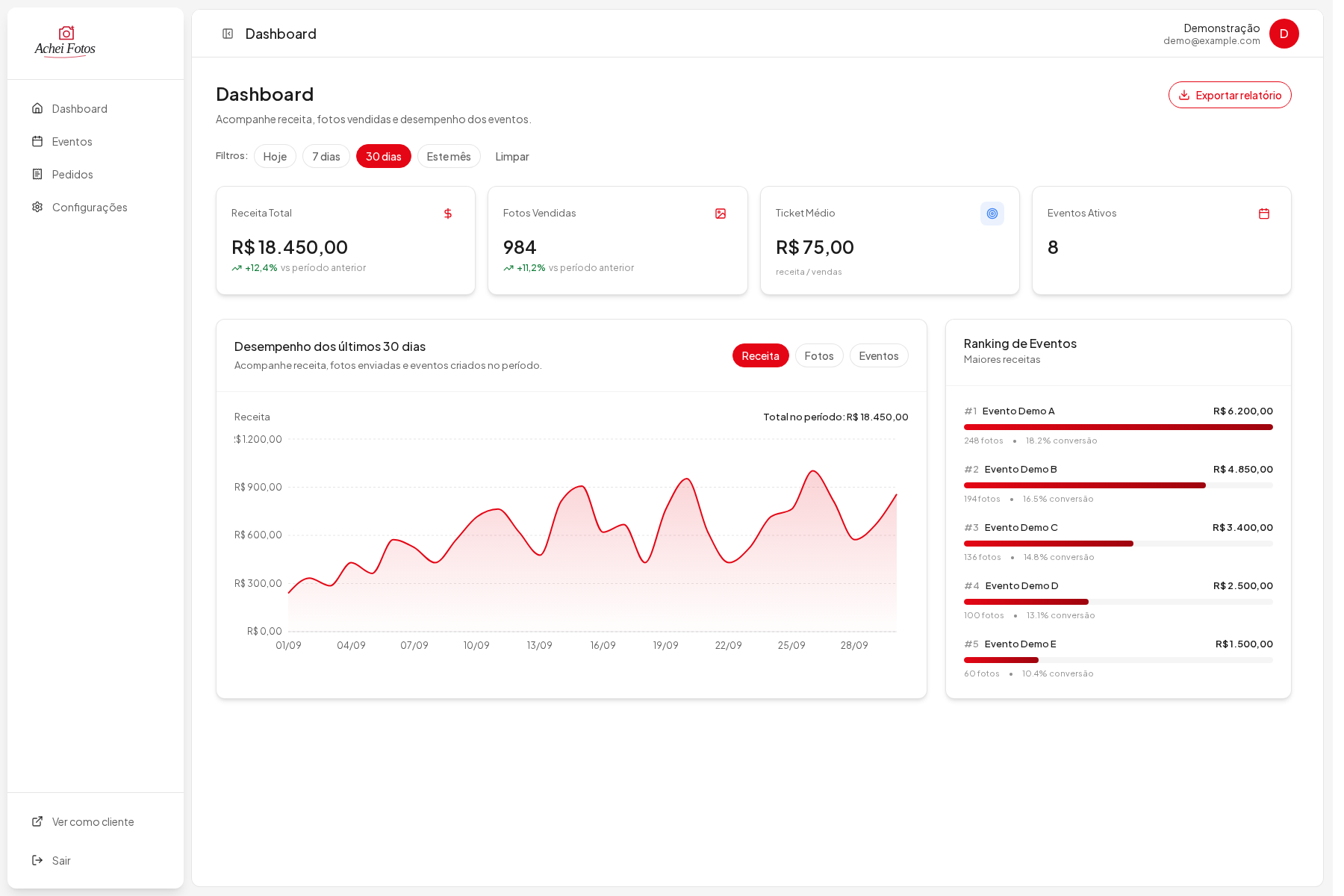
Find the photo.
Complete the purchase.
Displaying photos is only one part of the product. Images need to be uploaded, processed and stored. Customers need to find them, purchase them and access the right files.
Processing runs in the background while the storefront handles browsing and purchasing. Payment events and order state determine access to the purchased files.
Connect the image,
the purchase and the delivery.
My responsibilities covered the media pipeline, payment integrations and products associated with each photo, alongside work on the frontend.
What I took responsibility for
- Upload, queues, jobs, watermarking and media processor/storage integration.
- Pix, card and in-person payments; checkout, webhooks and order reconciliation.
- Architecture for products associated with each photo.
- Integration between the storefront, admin dashboard and Core API.
The structure behind
the product.
The map shows the main responsibilities and connections. Expand it to explore the flow, or select a layer to understand its role in the system.
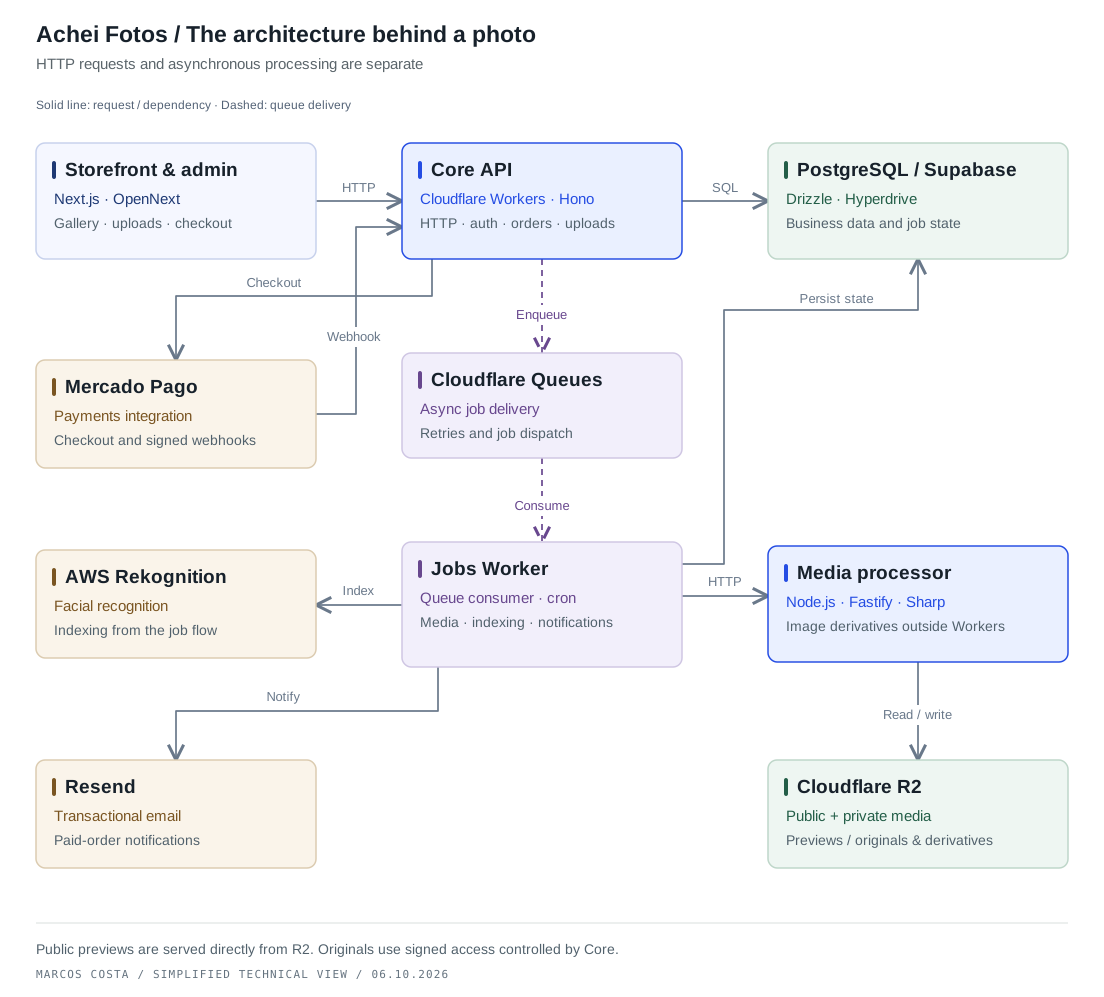
Read the diagram as text
The Next.js storefront and admin call the Hono Core API. Core accesses PostgreSQL via Drizzle and Hyperdrive, integrates Mercado Pago payments and publishes asynchronous jobs to Cloudflare Queues. A separate Jobs Worker consumes the queue and scheduled work, invokes a Fastify and Sharp media processor, indexes faces with Rekognition, sends email through Resend and persists job state. The media processor reads and writes R2 objects. This selected-flow view omits authentication details, direct image delivery and some read paths.
Give the interface a clear backend contract.
Storefront and admin use a Core API for gallery, uploads, cart, checkout, payments and downloads. Business data is accessed through Drizzle and Hyperdrive in deployment. Tenant isolation is enforced in the backend, not by UI filters.
Separate requests from background work.
Core enqueues work. A dedicated Jobs Worker consumes queue messages and scheduled tasks for image derivatives, recognition, email and cleanup. Jobs require explicit state and idempotent behavior when retried.
Heavy image work has a separate runtime.
The Jobs Worker calls a Node.js/Fastify/Sharp media processor, rather than running heavy processing in Core. Watermarked previews are public; originals and clean recognition derivatives remain private. Public bytes are delivered directly, not proxied through Core.
Use payment events to determine order access.
Core integrates checkout and payment events. Webhooks require signature validation and an event claim before processing. Order state and access must reflect the payment workflow, with email work dispatched asynchronously.
What I chose.
The trade-offs involved.
01Keep heavy media work outside the request path.HTTP, queuing and processing have distinct responsibilities.
Design choice
Use Core for HTTP, Queues for job delivery and a separate Jobs Worker to call the Fastify/Sharp processor. The processor does not receive production requests directly from the storefront.
The trade-off
The product must represent processing states clearly. Queues, worker retries, external processing and database state need to work together.
02Separate public previews from private originals.Show the preview without exposing the original file.
Design choice
Deliver watermarked previews directly from public R2 storage, while keeping originals and clean recognition images private with controlled access.
The trade-off
An image is not just a URL. Storage paths, derivative types and access rules must stay consistent so the wrong asset cannot become public.
03Make payment events safe to repeat.A repeated notification must not trigger duplicate effects.
Design choice
Validate webhook signatures and claim events before processing; model order and payment state changes explicitly.
The trade-off
Network delivery is not a once-only guarantee. Event handling and downstream jobs must avoid duplicated effects and inconsistent order state.
From the decision
to the implementation.
Media processing flow
Upload, queues, jobs, watermarking and storage integration.
Payment integrations
Pix, card and in-person flows, webhooks and reconciliation.
Products per photo
Product architecture connected to APIs, data and the interface.
Interface & product flows
Frontend and visual adjustments, linked to upload, products and purchase integrations.
The result connects the photographer’s upload to the customer’s purchase and access to the files, with separate paths for processing and payments.